Organize Events
Keep event schedules, recurring dates, venue details, organizer information, and attendee-facing event pages in one structured system.
WordPress event calendars can help planning businesses organize schedules, publish event pages, sell tickets, manage attendee details, connect tools, improve search visibility, and create a smoother experience before, during, and after each event.

Modern event calendars do more than display dates. They support planning, communication, registration, ticketing, attendee discovery, marketing, payment workflows, and post-event follow-up.
Keep event schedules, recurring dates, venue details, organizer information, and attendee-facing event pages in one structured system.
Reduce friction by letting customers book, register, and pay from the same website instead of relying on phone calls or third-party redirects.
Use event pages, email integrations, SEO-friendly content, attendee reminders, and follow-up campaigns to drive more registrations.
Help attendees find dates, times, locations, parking, nearby services, payment options, and event updates before they arrive.
Calendars and WordPress have both come a long way. Today, a WordPress event calendar can be much more than a simple schedule. It can become the central hub for publishing events, managing registrations, promoting programs, selling tickets, collecting attendee information, and keeping customers informed.
For an event planning business, that matters because every step of the event journey needs structure. Before the event, visitors need clear details and simple booking. During planning, your team needs organization and visibility. Afterward, follow-up and feedback help turn one successful event into future business.
Practical takeaway: A strong event calendar should make planning easier for your team and the booking process easier for attendees. The right setup can save time, reduce confusion, support payments, strengthen marketing, and improve customer experience.
WordPress is useful for event planning because it is easy to use, highly customizable, SEO-friendly, cost-effective, and supported by a large plugin ecosystem. That combination gives event planners a flexible website foundation without locking them into a closed event platform.
Teams can publish event details, update pages, create content, manage categories, and control website messaging without rebuilding the site.
WordPress plugins extend event websites with calendars, registration, ticketing, forms, payments, CRM connections, email marketing, and SEO tools.
Event pages can be optimized for search intent, local discovery, event categories, event schema, long-tail queries, and attendee questions.
The best event website often combines several plugin types. Each one supports a different part of the planning, promotion, registration, or attendee experience.
| Plugin Type | What It Helps With | Event Planning Benefit |
|---|---|---|
| Event Calendar Plugins | Scheduling and displaying events | Makes dates, times, locations, categories, and event details easy to find |
| Ticketing and Registration Plugins | Ticket sales and attendee signup | Reduces manual registration work and creates a smoother checkout process |
| Booking Plugins | Appointments, sessions, and scheduled services | Supports consultations, classes, private events, and service-based event planning |
| CRM Integrations | Customer and attendee data | Improves visibility into attendees, leads, returning customers, and follow-up opportunities |
| Email Marketing Plugins | Promotions, reminders, and follow-up | Helps automate communication before and after each event |
| Payment Gateways | Online payments and checkout | Lets attendees buy tickets directly through the event website |
Before choosing event calendar software, define the planning strategy behind your events. The calendar should support business goals, audience expectations, budgeting, branding, and operational workflows.
Define what success means before the event begins. Track registrations, ticket revenue, attendance, engagement, repeat bookings, leads, sponsorship interest, or customer feedback.
Map the tasks, dates, locations, vendors, speakers, reminders, confirmations, payment steps, and post-event actions that need to happen.
Event budgeting is a key component of the planning strategy. You need to list each element of the event and identify how much it will cost, including venues, food, staff, decor, technology, promotion, speakers, software, printed materials, and contingency spending.
When your event calendar connects with registration and payments, budgeting becomes easier to measure. You can compare ticket sales, attendee counts, promotion costs, and revenue more clearly.
Event planning tools make complex work more manageable. Analytics platforms, scheduling apps, marketing suites, CRM tools, payment systems, and event calendar plugins can all help reduce manual work and keep planning activity in one organized workflow.
A CRM connection can give event planners better visibility into customers, attendees, sponsors, and leads. When your event platform integrates with your CRM, attendee activity can become part of a broader customer record instead of staying trapped in a separate tool.
This helps your team understand who attended, who registered but did not show, who may want future events, and which contacts deserve follow-up.
An event is an excellent time to build, consolidate, and strengthen your brand image. Event pages, email reminders, venue decor, registration forms, landing pages, food, signage, and attendee communications should all feel connected to the same brand experience.
A WordPress event website gives you more control over that experience because your event calendar, registration flow, page design, copy, and calls-to-action can be styled to match your brand.
After the planning strategy is in place, the event calendar becomes the tool that turns strategy into execution. The right calendar helps you publish event details, adjust dates, collect registrations, connect tools, manage updates, and give attendees a cleaner way to interact with your business.
Pick plugins based on event type, target audience, business objectives, ticketing needs, payment flow, design requirements, and integration needs.
Connect the calendar with email marketing, CRM, payment gateways, page builders, WooCommerce, or analytics tools to reduce manual work.
Use a calendar that makes it easy to add events, rearrange dates, publish changes, and keep customers informed as plans evolve.
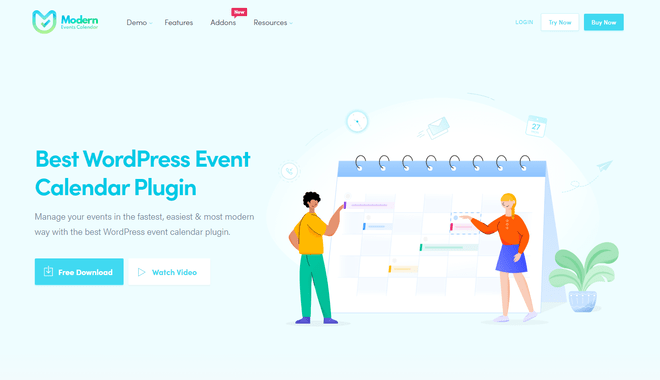
Modern Events Calendar helps WordPress users create, manage, display, and sell events more easily. It is useful for planning businesses that need attractive calendar layouts, event listings, booking workflows, attendee communication, and ticketing support.
For event planners, the main value is efficiency. A strong calendar system keeps events organized, makes booking easier, supports attendee-facing details, and helps teams avoid the confusion that comes from scattered tools.
Plugins add useful functionality, but too many plugins or poorly optimized plugins can slow a site down. Event planning businesses should regularly test site speed, especially after adding new calendar features, payment tools, booking workflows, tracking scripts, or marketing integrations.
A faster site helps visitors find event details quickly, complete registration without friction, and trust the business behind the event.

When attendees need to pay through a third-party website, telephone line, or disconnected checkout process, booking becomes more complicated. A calendar with booking and ticket-purchasing features simplifies that process.
Online payments also help planners track ticket sales, estimate attendance, avoid overbooking, and plan resources more accurately. This can reduce wasted refreshments, staffing gaps, and last-minute uncertainty.
An online event calendar can also support market research. Event pages, booking behavior, attendance trends, form responses, email clicks, and event category performance can show what your audience cares about most.
That information can guide future programming, pricing, event formats, promotional messaging, and venue decisions.
Event pages can help attendees find your business through search. A strong WordPress event calendar can support better page structure, event details, location context, event categories, internal links, and content that answers attendee questions.
Event discovery is not only about the event itself. Attendees may also need nearby parking, accommodations, restaurants, transportation, accessibility details, venue information, and other useful resources before, during, or after the event.
| Discovery Need | Page Element | Business Benefit |
|---|---|---|
| Find the event | SEO-friendly event title, description, date, and category | More organic visibility and clearer search intent matching |
| Understand the details | Agenda, location, organizer, pricing, and registration info | Fewer questions and more confident signups |
| Plan attendance | Parking, venue, map, local services, and accessibility notes | Better attendee experience and fewer day-of-event issues |
| Register quickly | Ticketing, booking form, and payment gateway | Higher conversion from interested visitor to confirmed attendee |
Event growth does not stop when the event ends. Send thank-you emails to attendees, request feedback, ask for testimonials, and use what you learn to improve future events.
Feedback helps event planning businesses understand strengths and weaknesses from the customer’s point of view. Testimonials can also become a strong marketing asset for future event pages, landing pages, and campaigns.
The digital era has pushed more businesses to incorporate online event calendars into their websites. For event planning companies, that shift creates a major opportunity. A well-built event calendar can improve organization, attendee communication, ticketing, payments, market research, SEO visibility, and post-event follow-up.
Before choosing an event calendar, clarify your event planning strategy, budget, tool stack, branding requirements, payment needs, and attendee experience goals. Then choose a WordPress event calendar that supports those goals without adding unnecessary complexity.

Modern Events Calendar helps WordPress users create calendars, recurring events, ticketed events, booking pages, attendee workflows, and event displays without forcing teams into a closed event platform.
Use these quick answers to clarify how WordPress event calendars support planning businesses, attendee experience, and event growth.
It can organize event listings, publish schedules, manage registrations, support ticket payments, connect with marketing tools, improve SEO visibility, and make event details easier for attendees to find.
Yes. WordPress can support ticket sales through event calendar plugins, booking tools, WooCommerce integrations, PayPal integrations, registration forms, and payment gateways.
Look for responsive design, recurring events, booking support, payment options, calendar views, location tools, attendee notifications, integrations, SEO-friendly pages, and reliable performance.
Follow-up helps collect feedback, request testimonials, understand attendee satisfaction, improve future planning, and encourage repeat attendance or future bookings.
Yes. Event calendars can support SEO by creating detailed event pages around dates, locations, topics, categories, schedules, registration details, and attendee questions.
Use WordPress to publish events, streamline booking, sell tickets, connect attendee data, support marketing, and create a clearer path from event discovery to confirmed attendance.
Get Started